MiniCut V2: Turning your Agent Harness into an AI film studio
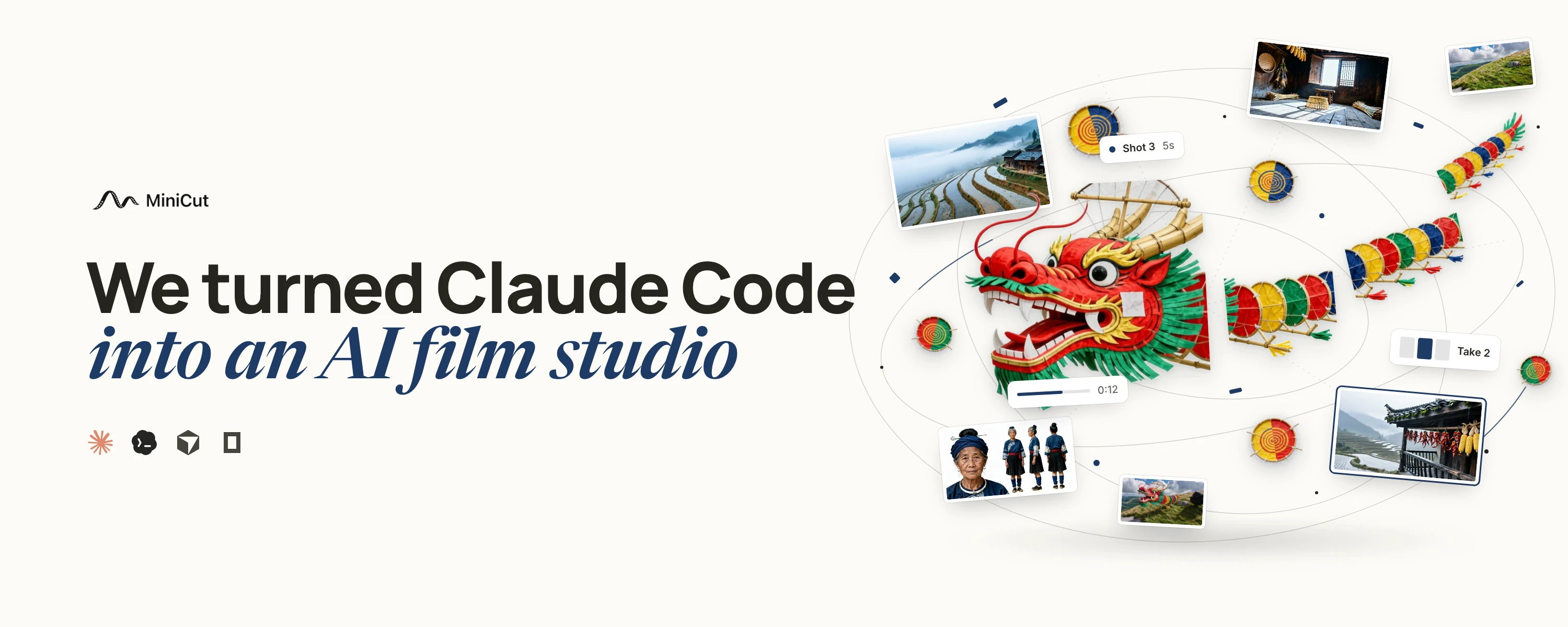
We're excited to launch MiniCut V2 to the community! It's a MASSIVE upgrade from V1. It lets the coding agent you already use, Claude Code or Codex, make AI films, AI dramas and AI videos with you, from the first idea to the finished video.
There are two main problems we're trying to solve:
1. AI drama studios spend tens of thousands of dollars every month on staff whose only job is to adjust the prompt, click the generate button and pick the right shot. We think that's a completely unnecessary role.
2. Every app on the market is built with unnecessary intermediary steps and requires opening yet another app. So we thought: let's skip the BS, let's build tech that puts your existing AI setup to work and creates amazing content in the most "Vibe-Coding" way possible.
MiniCut CLI
V1 was a canvas your agent reached through MCP, so every call went to our server and back. V2 is a CLI Harness. The project sits on your computer, so the agent changes your characters, shots, sound and cuts directly, the same way it works on code.
MiniCut V2 is designed to be used within your agent harness session. You can use it without the UI, but we recommend opening the MiniCut Local app in your harness' browser.
Design philosophy
Our thinking behind V2: everything in AI media comes down to code and math. The model is math. The scene, the camera, the score and the timeline can all be code your agent writes and runs.
So V2 puts the project, the assets and the tools on your computer. Your agent can make something, look at it and change it, as often as the shot needs. Generation models run online. Scene rendering, music and editing run locally.
MiniHarness
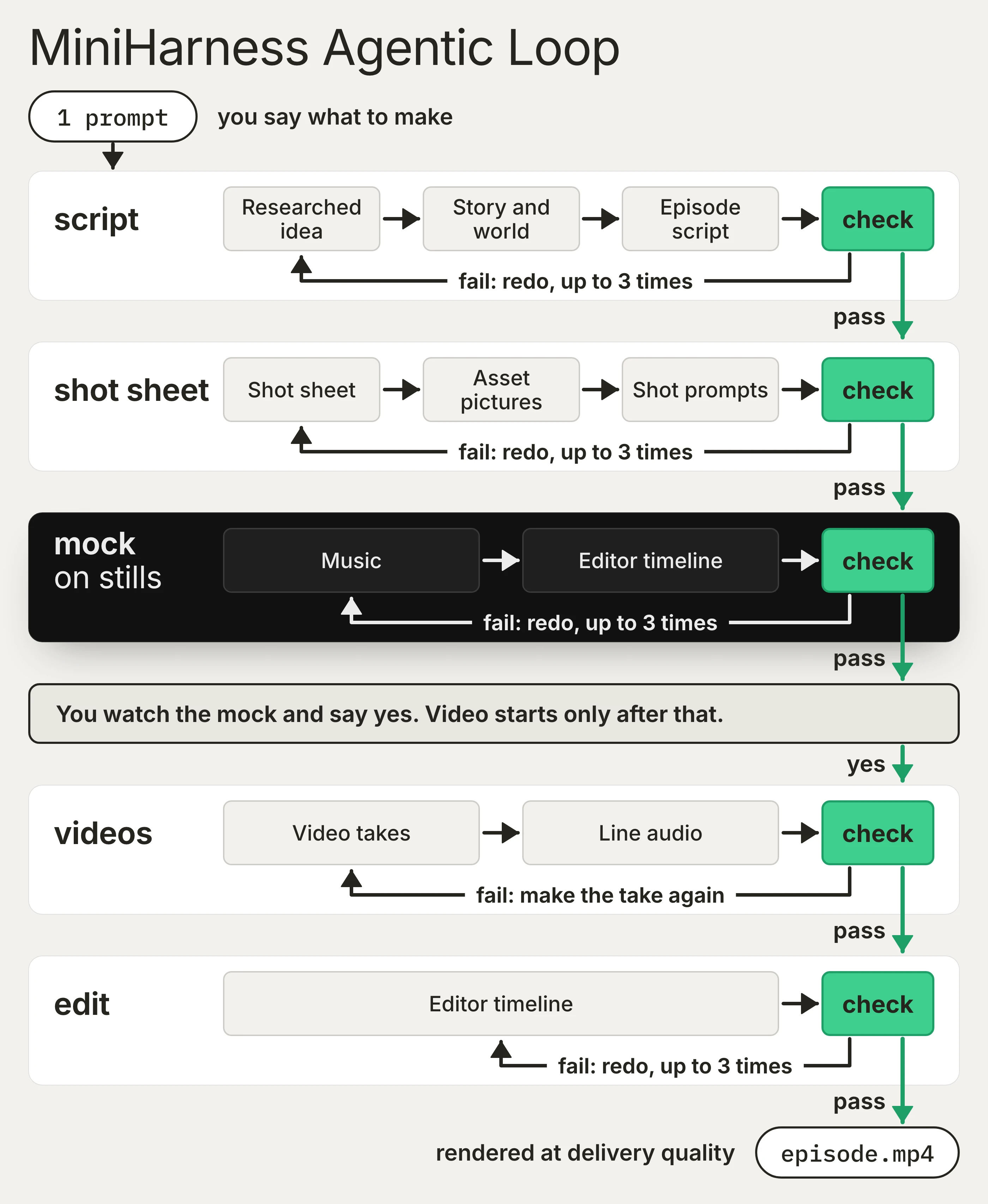
V2 comes with a production harness: 10 steps in 5 loops, covering the script, shot sheet, mock, videos and edit.
After each step, MiniCut checks the result and tells your agent what to fix. A missing cast member, a shot too long for the model or a missing reference picture gets caught before any video is generated. If the agent can't fix it within its retries, it comes back to you.
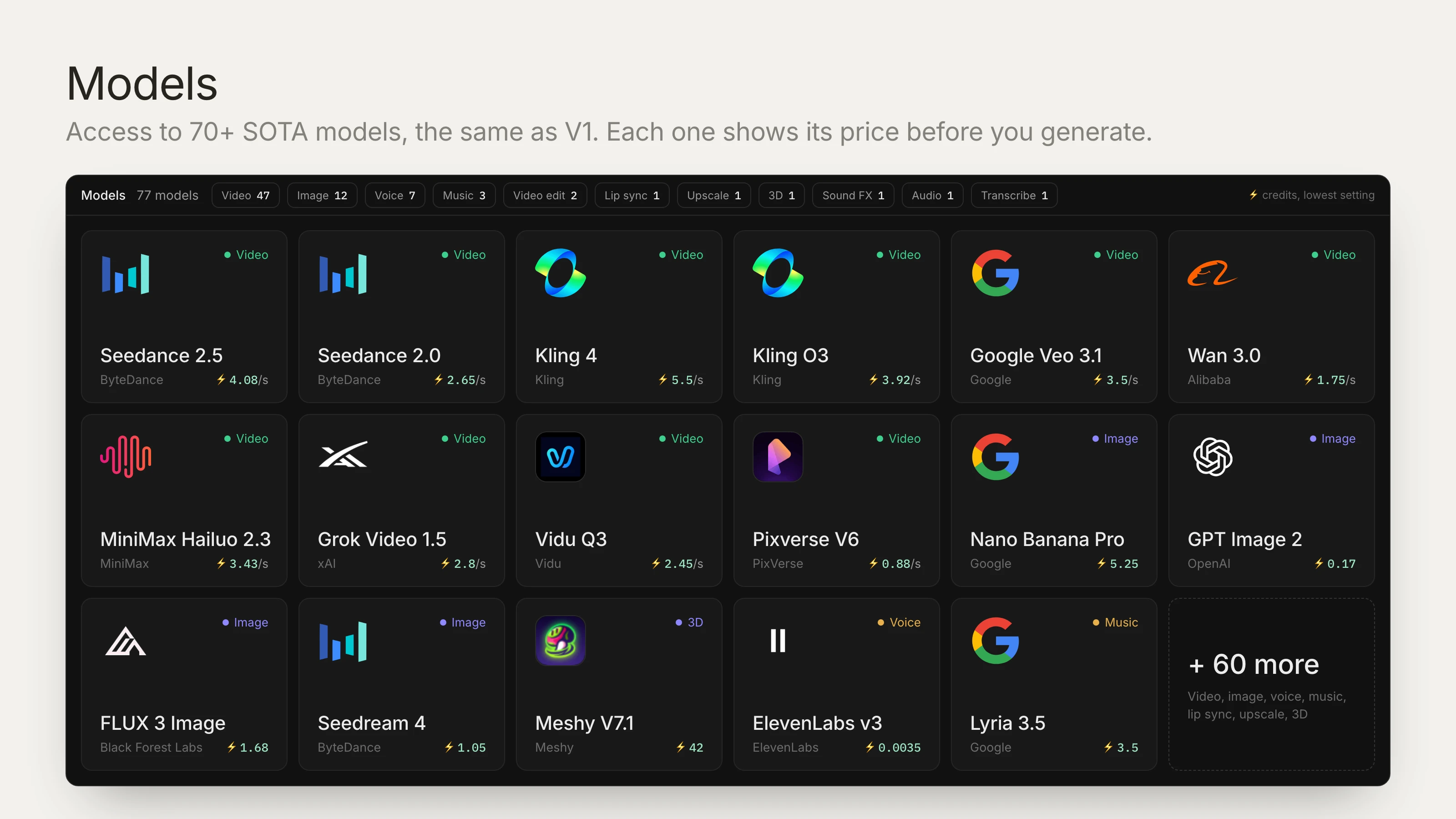
You pick the model for each shot from 70+ models. Every paid step, retakes included, shows its price and waits for your yes.
The example prompts follow one short drama about a night-shift cashier. This first one stops at the mock.
Prompt:
Use MiniCut to make a 60-second AI short drama.
A night-shift cashier serves a stranger.
After the stranger leaves, the cashier finds
the stranger's missing-person poster, dated tomorrow.
Two characters, one shop, live-action style, 9:16.
Develop the script, shot sheet and mock.
Stop at the mock. Ask before paid work.
Automatic shot checking
This is a feature we're excited about! This one saves massively on manual labor in studios every month.
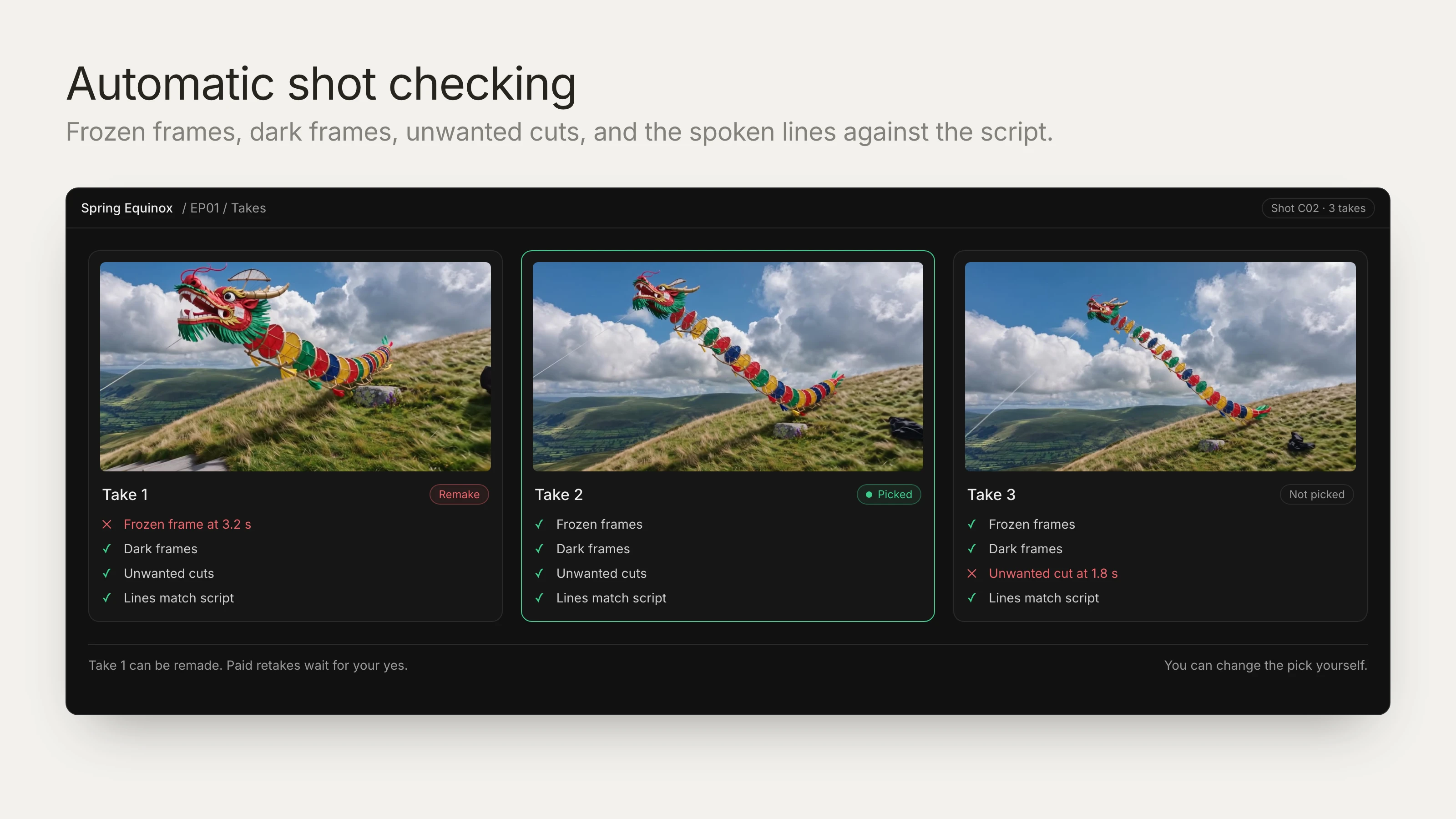
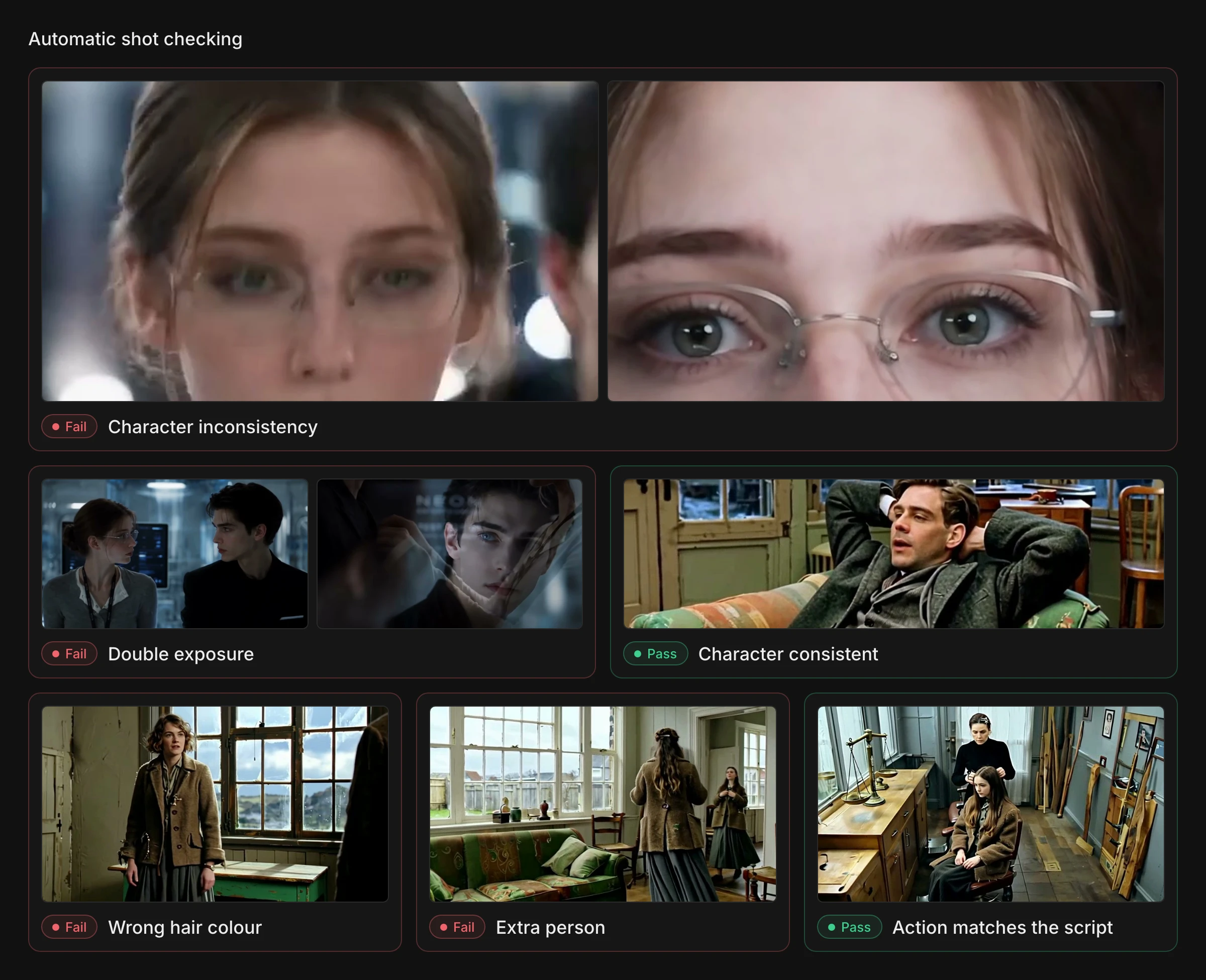
The harness allows for automatic shot checking: when the videos are generated, MiniCut checks each take for frozen frames, sudden dark frames, unwanted cuts and a face that drifts from shot to shot, and reads the dialogue back against the script.
Your agent uses those checks to pick a take for each shot, and if a shot fails, it can be remade while the takes you like stay in place. You can change any pick yourself.
Prompt:
I approve this mock. Show me the video generation
quote and wait for my approval before running it.
Then check the takes and choose one for each shot.
Show me any unresolved problems.
Mocks/Drafts
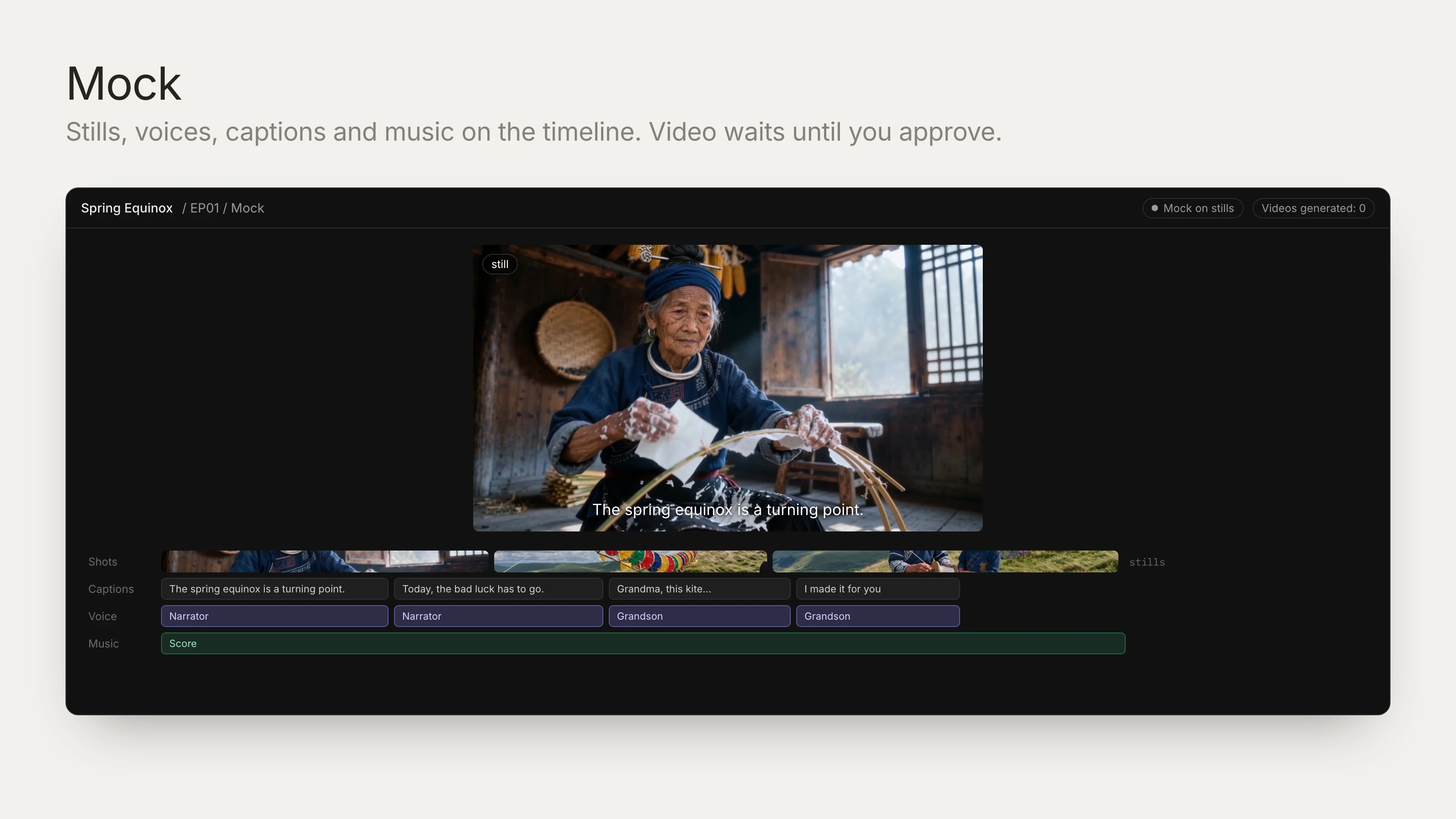
Video generation is the expensive step, and it's usually where you find out the story doesn't work. So before any paid video, your agent builds a mock of the whole episode from stills or 3D clips, with voices, captions and music.
You watch the pacing, hear the lines and tell the agent what to change. The mock's pictures and voices can cost credits, but video waits for your yes.
Prompt:
Keep the poster out of view until the customer leaves.
Hold on the cashier's reaction for two seconds,
then show the date on the poster.
Move the musical cue to that reveal.
Update the mock and show it to me again.
Agentic Editor
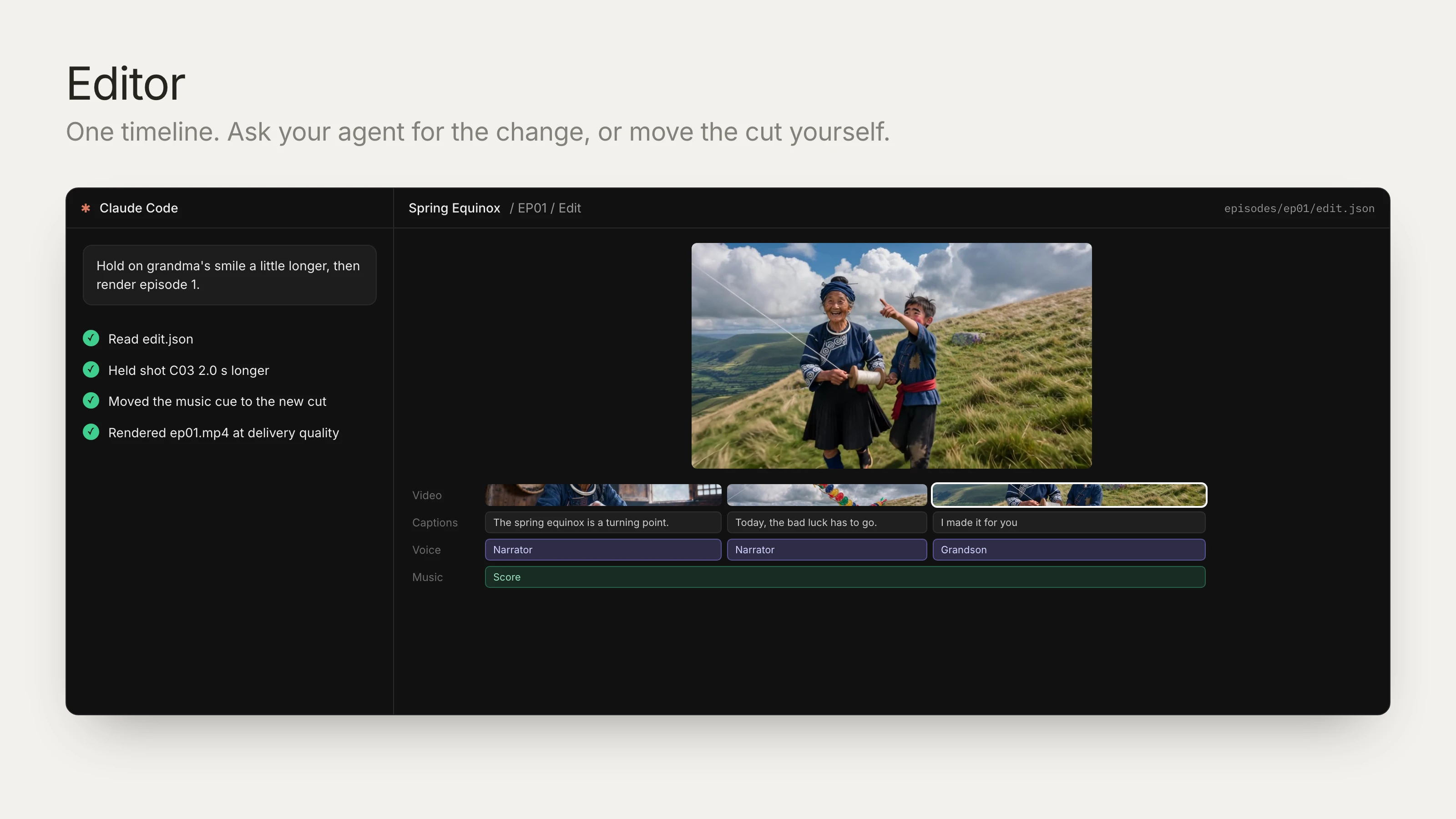
Your agent can edit the whole episode and render the finished MP4 while you watch.
Editing is usually manual work: lining up the takes, voices, captions and music by hand. Your agent wrote the script and the shot sheet, so it already knows which take goes where and when each line lands. It builds the cut, and you tell it what to change.
You can also open the editor and move the cut yourself. You both work on the same project.
Prompt:
Open the final cut in the MiniCut editor.
Check the dialogue, captions, music and timing.
Render episode 1 at delivery quality
and show me the MP4.
3D Scene Composer
Some shots are easier to get right by placing the people and the camera than by rewriting the prompt.
Your agent builds the scene in 3D with code and renders a still or a clip. It can try an angle and move the camera without paying for a video each time. You can adjust the 3D view yourself too.
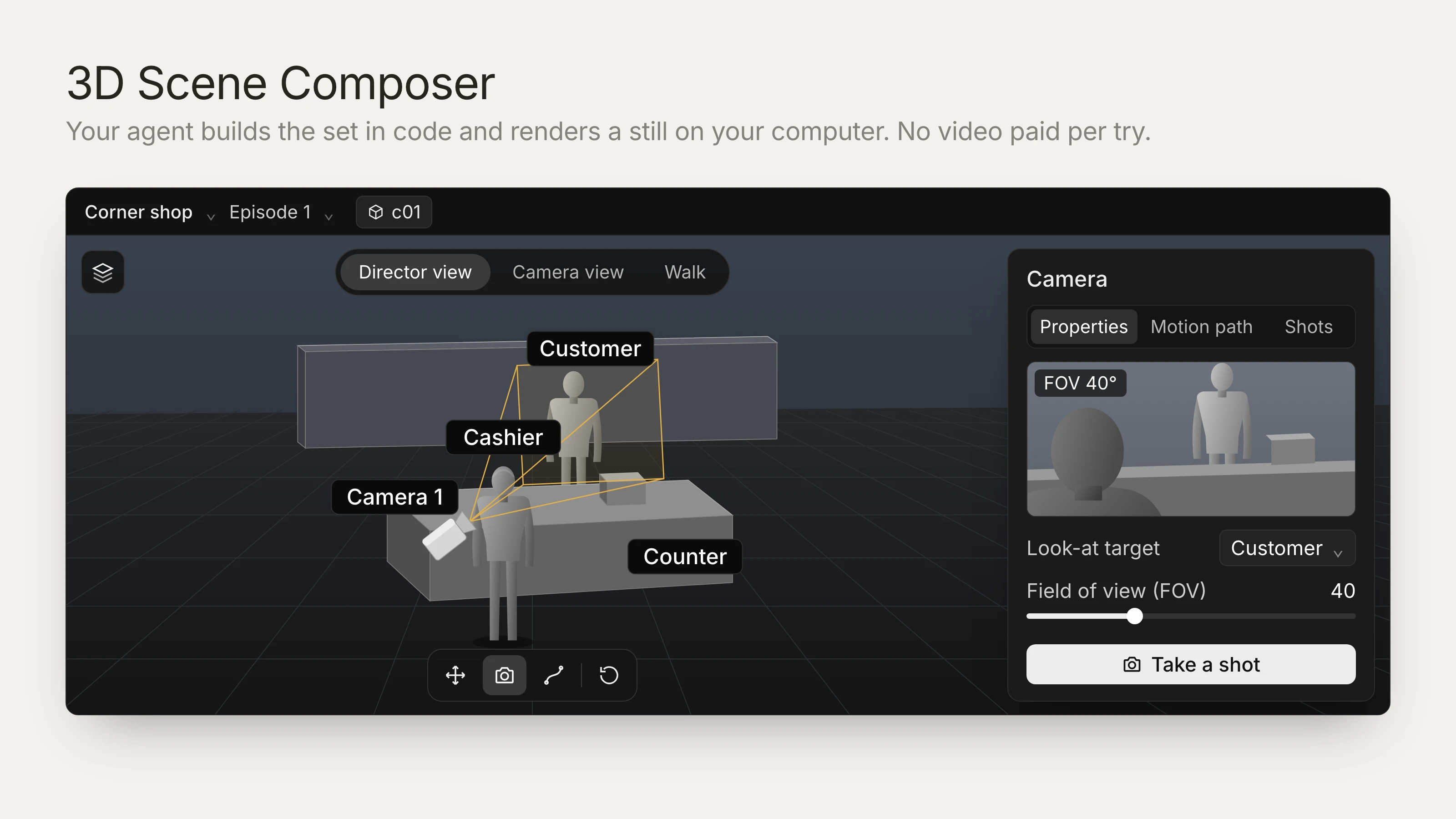
Prompt:
Block out the shop counter in the 3D Scene Composer.
Put the camera behind the cashier's shoulder,
looking towards the customer at the counter.
Show me a still before generating the shot.
Music as code
Your agent writes the music as code with MiniCut's instruments, timed to the real cut and dialogue.
If you move the reveal, it can move the cue too. If the music covers a line, it can bring it down. No paid music generation is needed, and you can bring your own track.
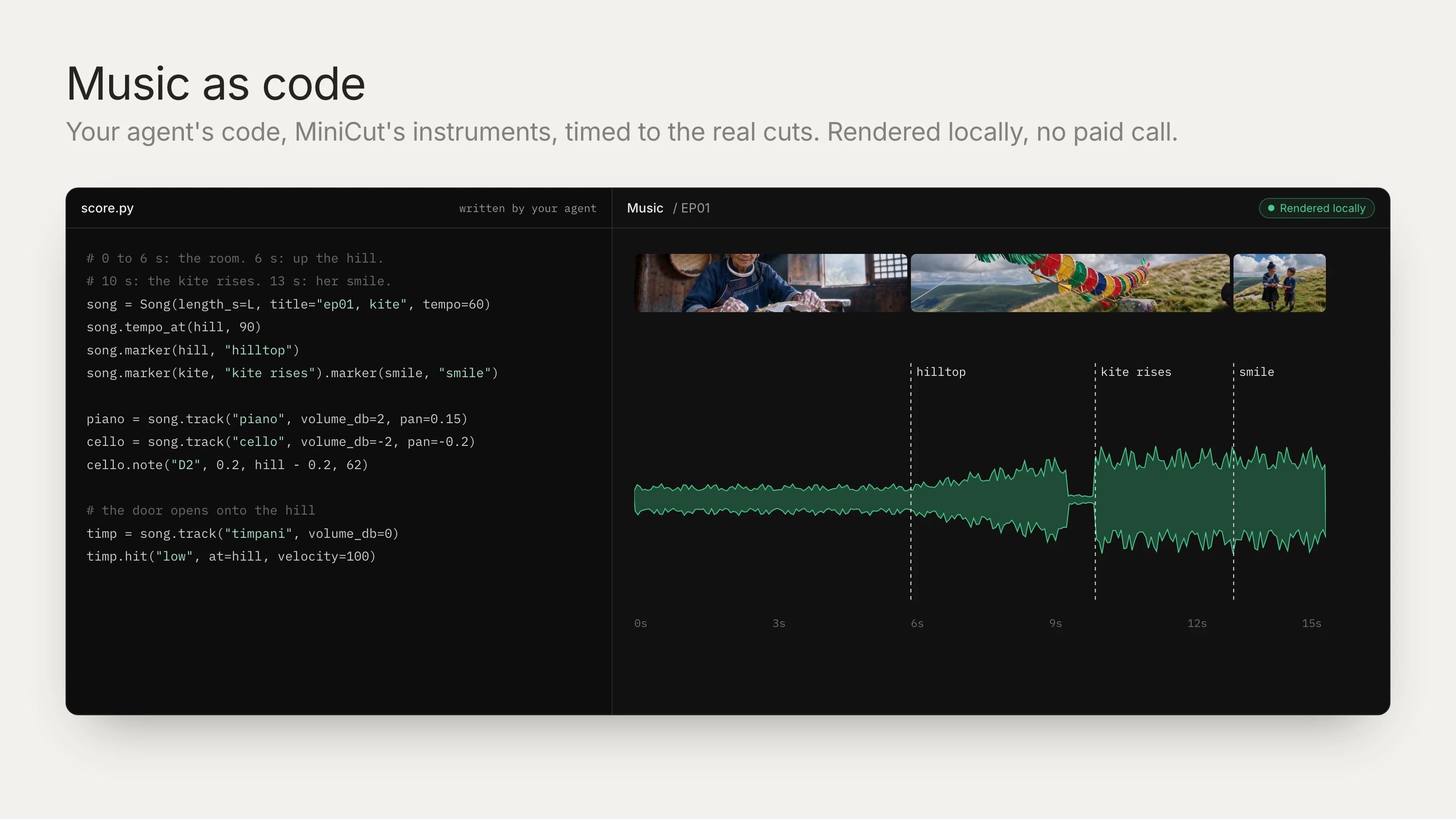
Prompt:
Write the score as local music code.
Keep the shop scene quiet under the dialogue.
Put the musical cue on the poster reveal,
using the current timing in the edit.
Great Features we Kept from V1
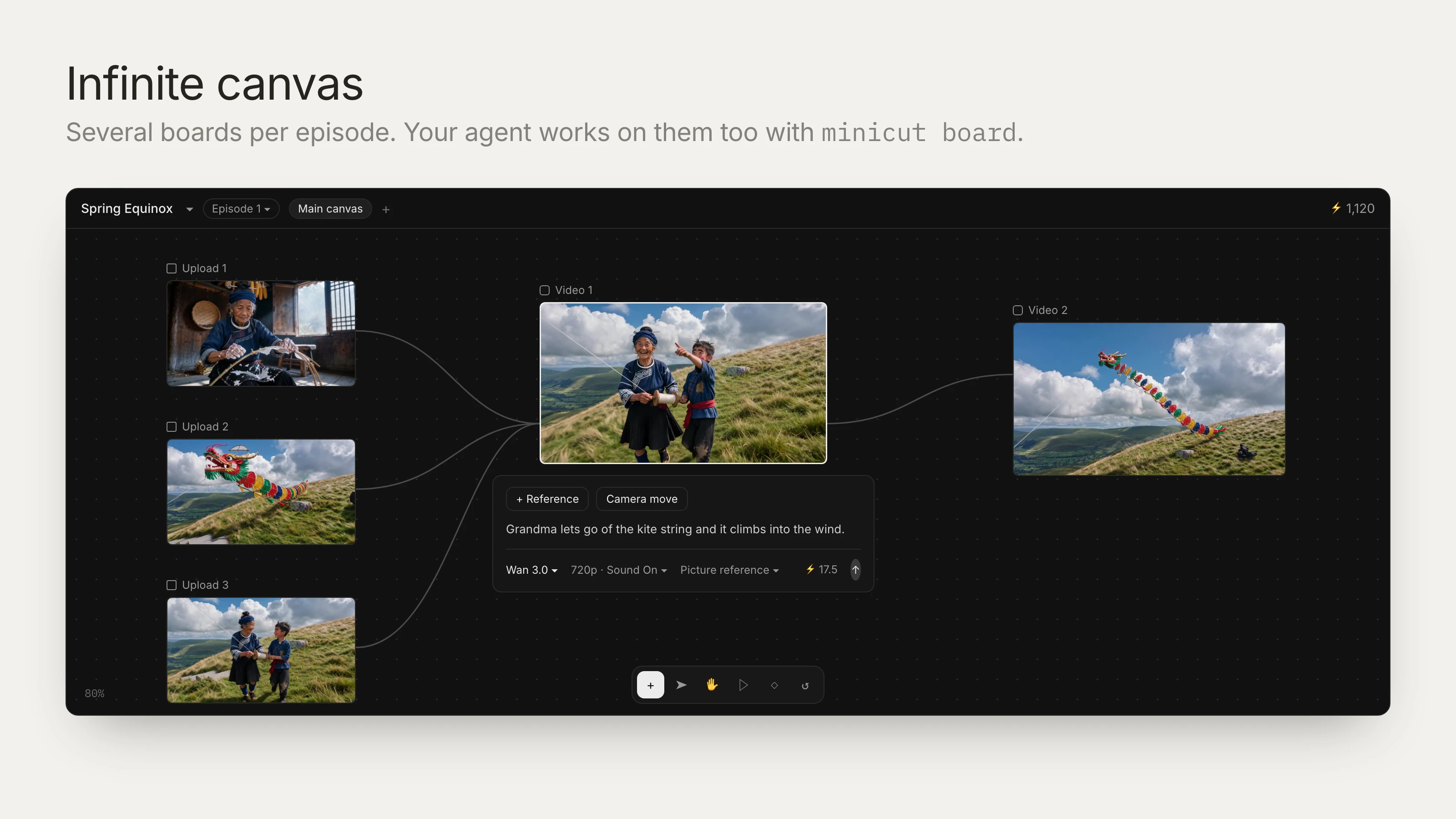
Infinite canvas
The infinite canvas is still here as the Canvas tab, with several boards per episode. Your agent can work on it too with minicut board.
70+ SOTA Models
Use cases
We built V2 around AI micro dramas, where the same cast and places return every episode and everything stays in the project. The same tools make AI films, faceless YouTube videos and UGC ads, or edit footage and sound you already have.
Install
Go to minicut.ai/install, pick your agent (Claude Code, Codex and 8 more), your system and region, and paste the prompt into your agent.
It installs MiniCut, signs you in (check the code matches, then press Confirm) and opens the app. In the same conversation, tell it what to make: an idea, a script, a novel chapter or footage you already have.
Prompt:
Install MiniCut from minicut.ai/install.
Sign me in. When the browser opens,
I'll check the code matches and press Confirm.
Then open the MiniCut app.
Make episode 1 from my idea: <your idea>.
Stop at the mock. Ask before paid work.
From $16 a month
Access to the top models
Sign up to activate and go make something great.
- SOTA models
- Infinite canvas
- Director stage
- CLI and MCP access